Your iPhone is the card reader.
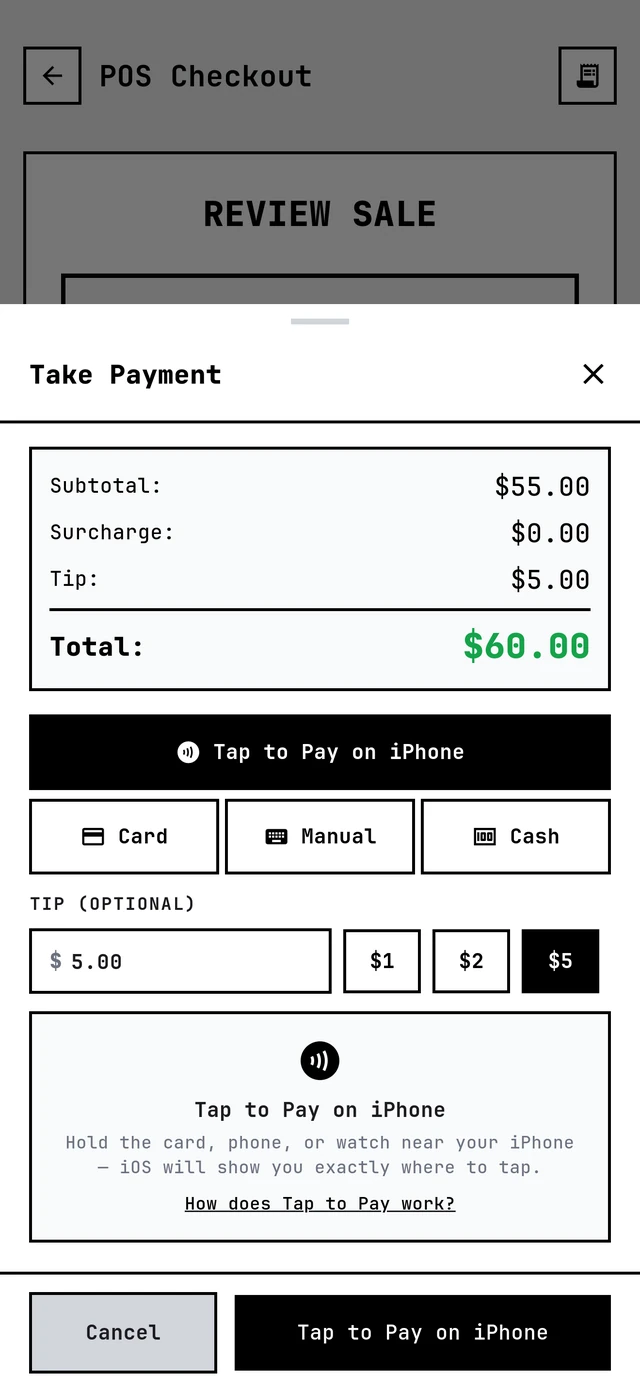
Clients tap their card or phone on your iPhone and you're paid. No reader to buy, charge, pair or lose. Tips go on first, and the money lands in your Barbercita wallet.
Included in the one $35/mo plan, every barber. See pricing →
The best card reader is the one you can't forget.
A little white reader needs charging, pairing and remembering. Your iPhone is already in your pocket.
Readers die
Mid-checkout, with a client standing there, card in hand.
Readers cost money
And then a second one when the first one walks off.
Your iPhone is already there
In your pocket, charged, every day.
Every sale, every way they paid.
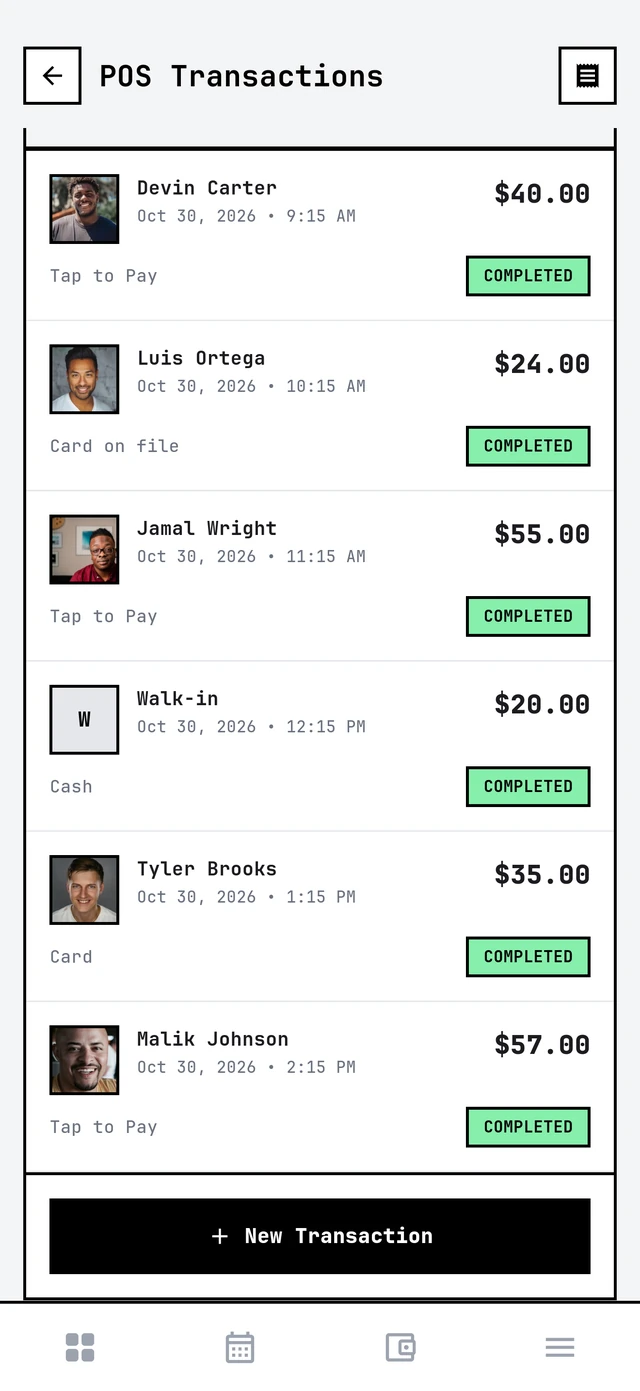
Each sale shows the client, the time, the amount and how they paid: Tap to Pay, card on file or cash. Email a receipt from the sale, and the totals sit right on top.
You decide who pays for the tap.
Card processing has a cost on every app. In Barbercita the owner's card fee sliders have their own Tap to Pay setting, so the client can cover some of it, all of it, or none. How the card fee works →
Everybody has Tap to Pay. Not everybody lets you pass the fee.
Booksy, SQUIRE and theCut all take Tap to Pay on iPhone. What their pages don't list is a way for the client to cover the card fee. Here's what each company's own page says.
| App | Tap to Pay on iPhone | Card fee per tap | Client can cover the fee |
|---|---|---|---|
| Barbercita | Yes | Your card fee sliders decide | Yes, some or all |
| Booksy | Yes | Their pages list 2.49% + 20¢ in one place and 2.69% + 30¢ in another | Not listed |
| SQUIRE | Yes, iPhone XS or later | Not listed | Not listed |
| theCut | Yes, iPhone only | Not listed | Not listed |
From each company's own pages; "Not listed" means their page doesn't say, not that it can't. Booksy's own pages give two different Tap to Pay rates.
Checked November 4, 2026: Booksy Tap to Pay, Booksy payment types, SQUIRE announcement, theCut help.
Tap to Pay on iPhone, built in.
No hardware
The iPhone is the reader.
Cards and phones
Contactless cards, Apple Pay, Google Pay.
Tips first
$1, $2, $5 or custom, before the tap.
You set the fee
A Tap to Pay rate on the card fee sliders.
Straight to the wallet
The barber's Barbercita wallet.
Receipts
Email one from the sale.
Every sale listed
Tap to Pay, card, cash, side by side.
First at checkout
Tap to Pay on iPhone is the first option.
Card stays private
The card number never touches your phone.
How it works
Ring it up
Services and products in POS, or check out the appointment.
Tip, then tap
The client picks a tip and taps their card or phone on your iPhone.
Paid
The money lands in your Barbercita wallet and the sale is in your history.
Tap to Pay questions
What do I need?
Does it work on Android?
What can clients pay with?
Can clients tip?
Who pays the card fee?
Where does the money go?
Does it cost extra?
Every feature. One plan.
Tap to Pay on iPhone comes with Barbercita for $35/mo, every barber.